
Part Production Cell — MES & OEE
OpenPLC, Ignition Perspective and SQLite: order in events, KPIs and downtime causes.

Flex4 was an outsourcing project for a Swedish climate-control company. The product connects to engineering equipment, receives sensor data, and helps users analyze and balance system performance.
The design challenge was to turn older mobile and web solutions into one coherent product while keeping separate workflows for phone and tablet.
I focused on scenario clarity, configuration logic, readable charts and logs, multi-brand adaptation, and handoff decisions that would work across platforms.


Requirements were set in advance, but the old product still needed product-level restructuring. I reviewed key workflows, identified where the interface slowed work, and clarified where logic could be simplified before moving into screens.

User opens the app. Sees available equipment. Connects it and goes to configuration. The scenario is simple and repeats most often — so it became the basis for the whole interface.
Next — configuring flows. There are several types. The task is to choose a reference configuration to compare data against. Important not to overload the user but still give control.
After configuration, data appears. Charts and logs show the gap between sensor readings and reference values. That shows at once whether everything works correctly and if there’s energy waste.
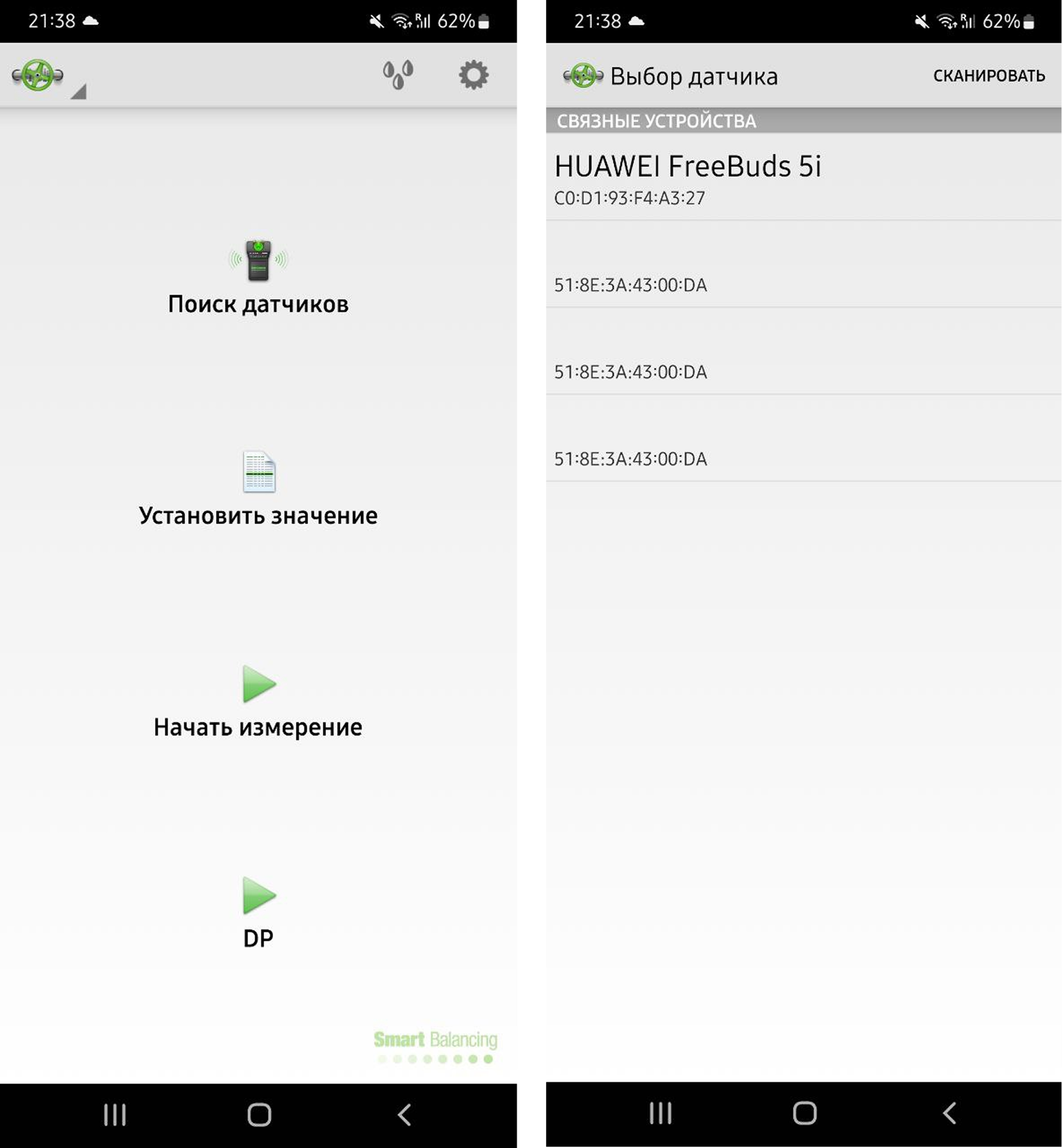
We started with Flex 2 — a simplified version of the product. The task wasn’t to cover all scenarios, but to find the foundation and settle on a visual direction. Built key screens and basic navigation. Checked how the interface behaves in real scenarios. Saw what works and what needs rebuilding. This version became the anchor for later decisions and helped avoid rework at later stages.

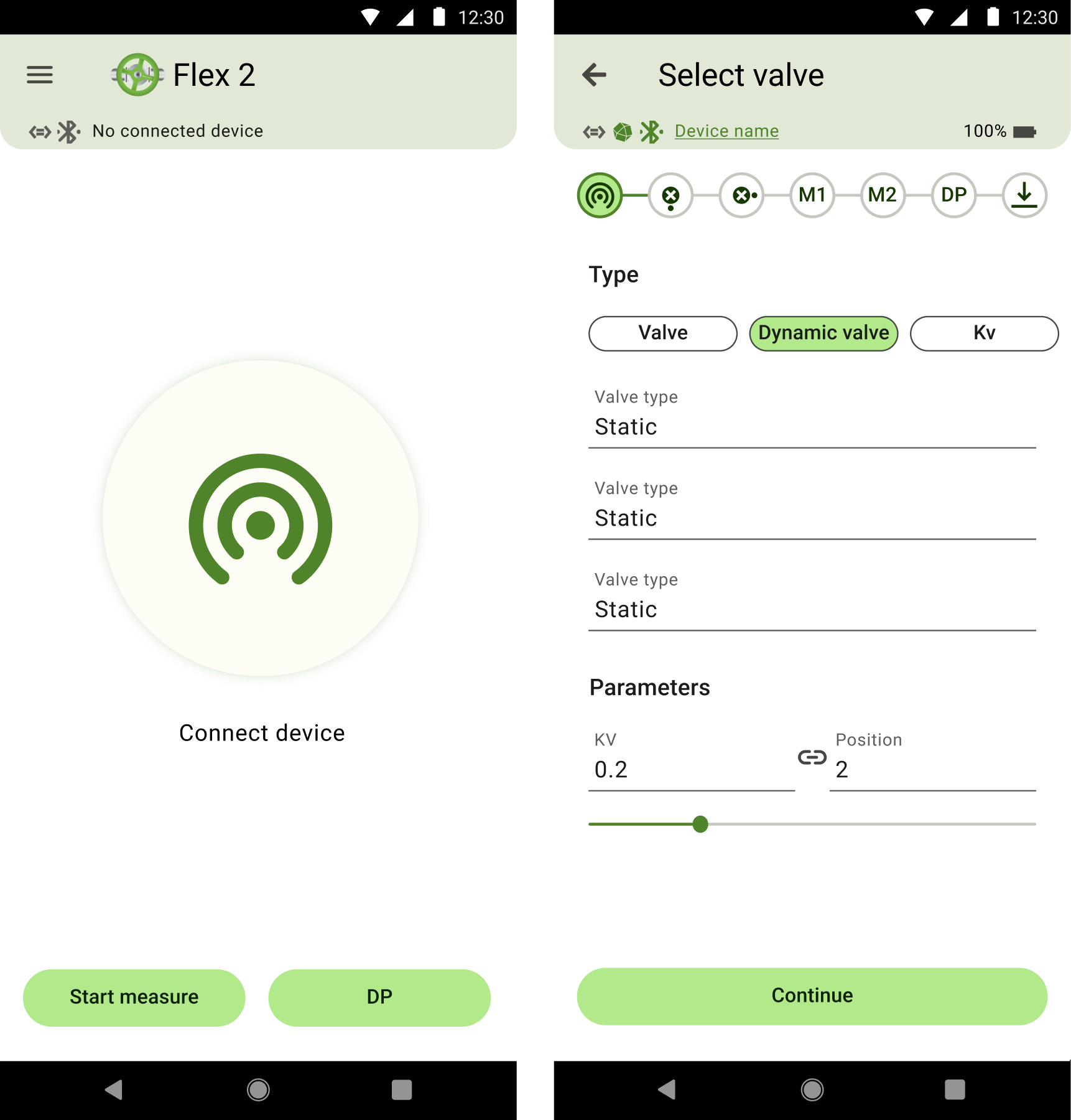
Made the first screen as simple as possible. A large search button sets the main scenario. From there, jump to sensor configuration. Added a status bar for connection state. It barely takes space but keeps you informed about the sensor. Useful info always in view, no extra actions.
Used a stepper and chips for type selection. After review we removed one-off actions like “open / close valve” and kept only core steps. Moved the chart to the bottom panel. That simplified the screen and made the scenario clearer. The solution relied on modern patterns and real user behavior.
Not all ideas worked the first time. Had to drop actions via the bottom panel — users found it awkward. Ended up keeping popups. Kept chips for navigation. This set of screens was enough to settle on style, test hypotheses, and finish the rest of the product calmly.
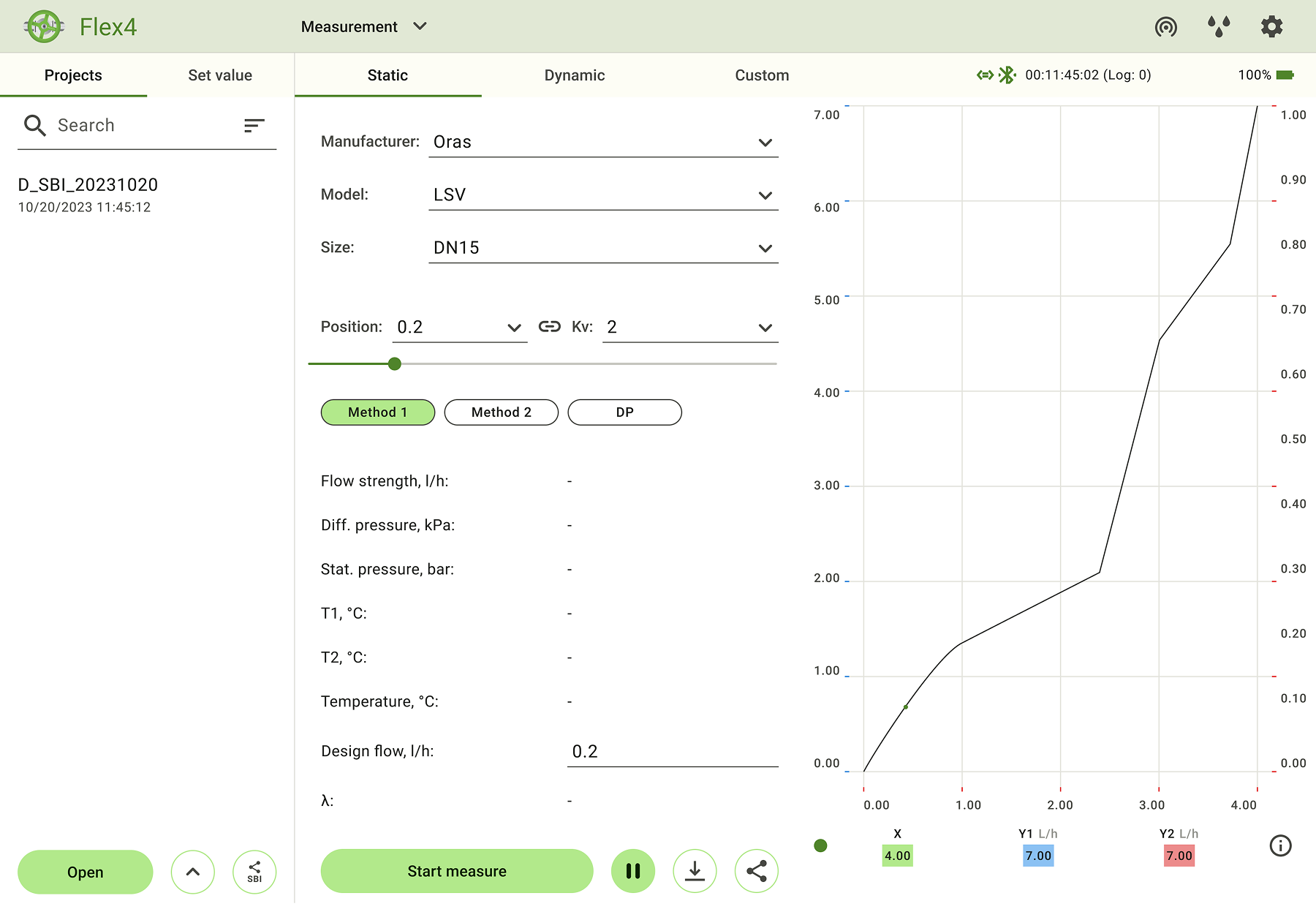
The tablet version was designed for professional use: more information on screen, logic closer to desktop, and fewer unnecessary transitions. The goal was a view that supports overview, readability, and long sessions with engineering data.

Information is available at once. No need to switch between settings and charts. Added classic tabs for navigation. Clearer and more familiar, no confusion with chips.
Large amounts of data are noticeably easier to read. Navigation always in view. Fewer transitions. Fewer extra actions.
Palette adapted for 15 brands. The interface automatically adjusts to the brand’s main color. Visual consistency is kept across all configurations.
Conclusions
OpenPLC, Ignition Perspective and SQLite: order in events, KPIs and downtime causes.

OpenPLC and Ignition: ladder logic, a Structured Text state machine, sensor feedback, and verifiable normal cycles.

Enterprise monitoring for a nuclear plant: system states, engineering constraints, and 3D storage logic.