
Part Production Cell — MES & OEE
OpenPLC, Ignition Perspective and SQLite: order in events, KPIs and downtime causes.

This case is less about screens and more about operational clarity. The system had been used at BelNPP for years, so the redesign had to respect real engineering habits, accumulated feedback, and existing technical constraints.
I worked through monitoring logic, state notation, 3D storage visualization, and component behavior so engineers could read system status quickly without losing context.
The goal was practical: reduce cognitive load, make abnormal states easier to notice, and support faster decisions in a high-responsibility environment.


The core requirement was simple to say and hard to design: when an engineer opens a page, they should immediately understand equipment state. Each storage type had its own configuration, so I helped shape a shared visual language for states, indicators, legends, and predictable component behavior.

First we had to integrate monitoring into the main app. Think through navigation. Define key screens and their content. It was important that the system felt part of the product, not a separate module.
The reactor diagram became the center of the interface. Cells show state and parameters. On click a detail widget opens. Special attention to notation. It must read quickly and without explanation.
Next we moved to pool elements. Designed their structure and display. Aligned grids and fonts with the real reactor. Here it wasn’t about “pretty” but accurate and recognizable.
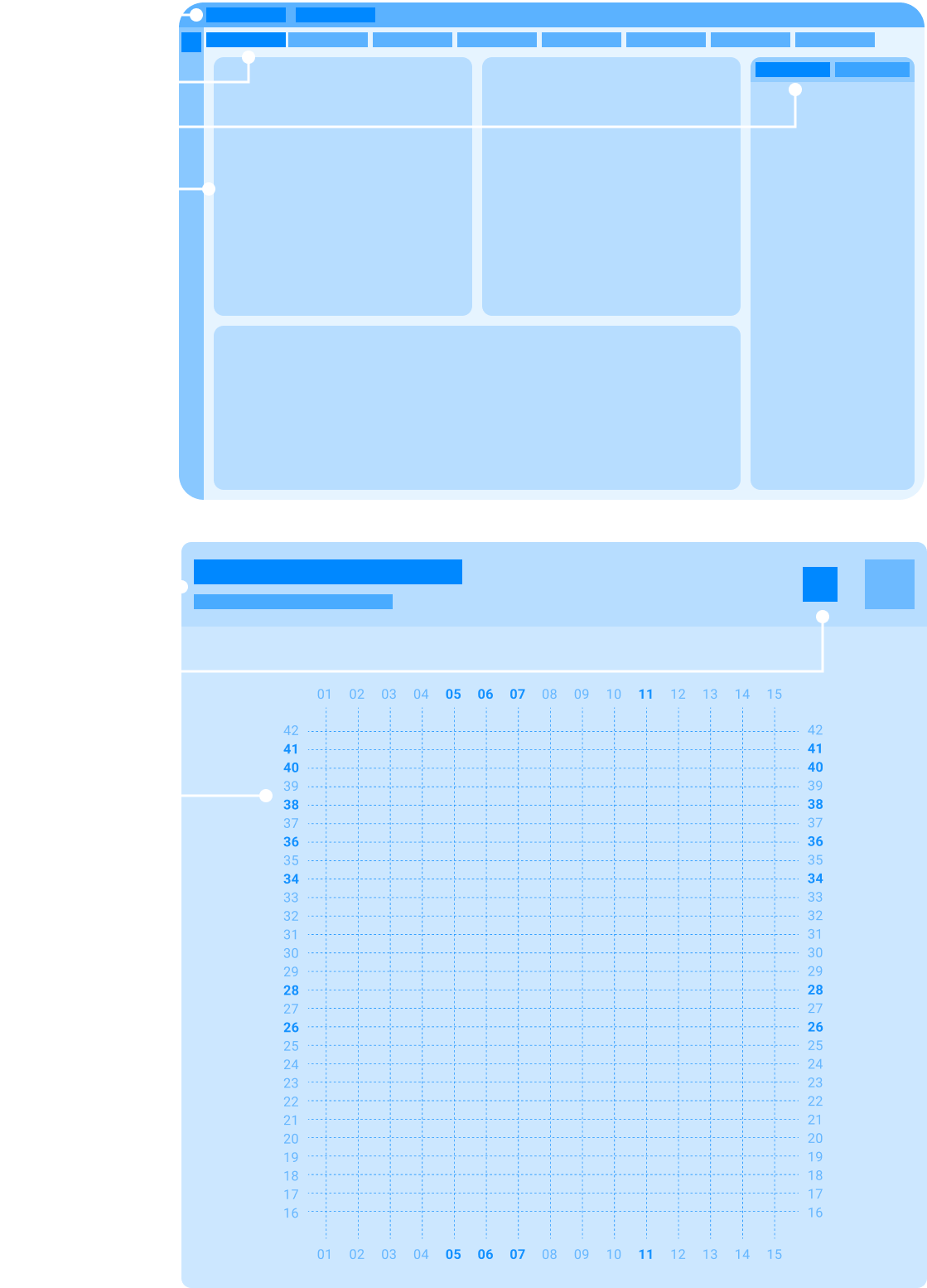
After requirements were updated, I designed the new monitoring flow together with analysts and developers. We validated logic against real scenarios, balanced usability with system limitations, and kept refining the interface until the state model became clearer and more stable in use.

The main scenario lives here. The reactor and spent fuel pool got new components. Stretched the active zone and pool widgets to the max so state is visible at once. The right panel stayed static. The legend took the remaining space and is always at hand.
Next in line was the fresh fuel storage. It already existed in the system, so I fitted the new screen to current components. Tried not to break the familiar pattern and kept the display logic.
Then — spent fuel storage. The previous system didn’t have it at all. Designed from scratch. Relied on drawings and the component base so the screen fit the shared visual language.
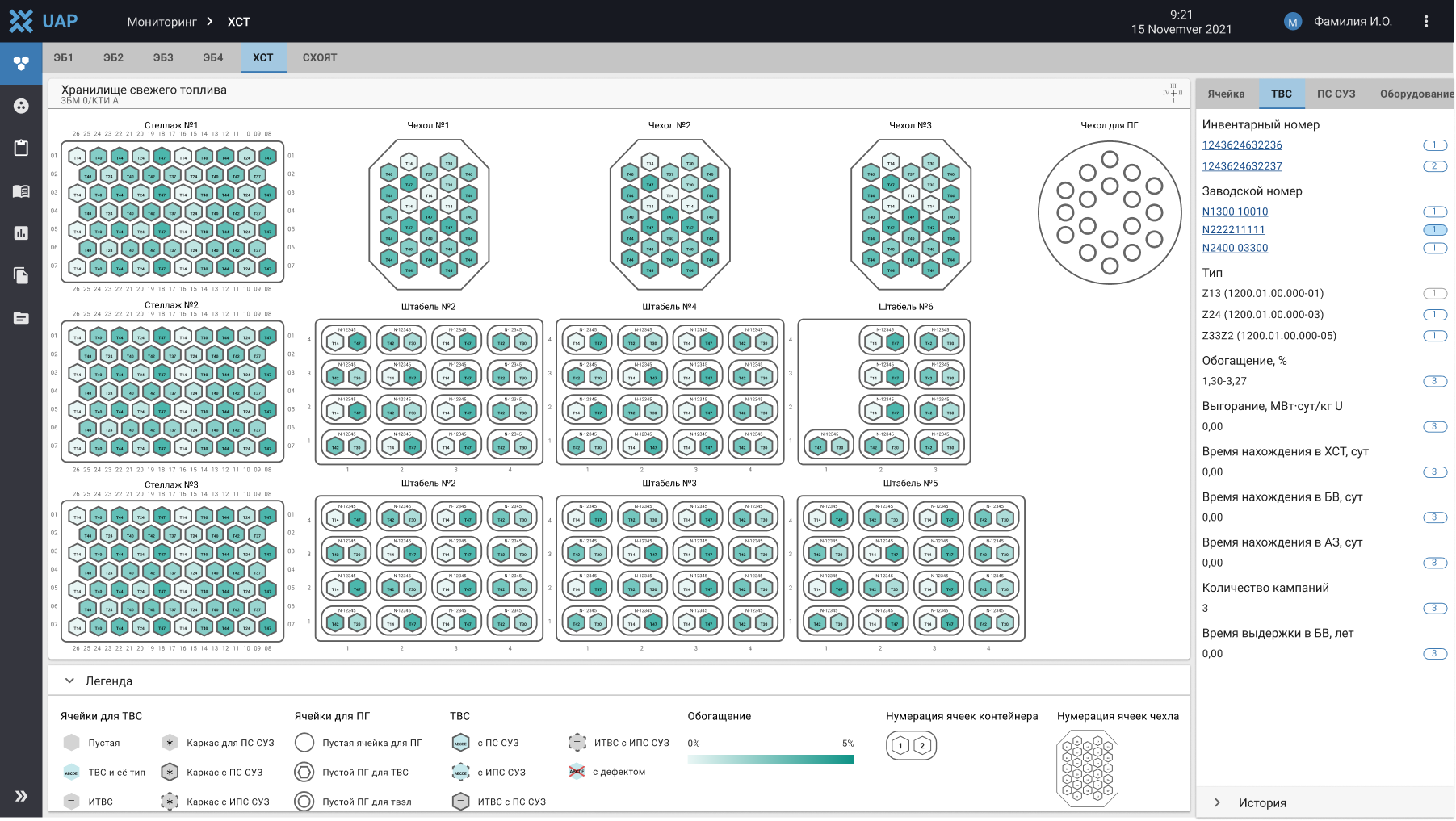
The active zone and two storage facilities were already tested and working. Next came the rest of the storage types. The task was to design them from scratch. The main complexity was 3D. It wasn’t just about showing volume, but designing clear interaction. So the engineer immediately understands where they are and what’s happening.

First I added levels. Now you can see at once how many barrels or containers there are by height. Assigned a color to each level. Made orientation easier.
Then a problem appeared. In some storages capsules have different heights. The top view didn’t show that. Added a side view to see real sizes.
Next step — link both views. Think through how the user switches between them. And how actions in one view reflect in the other. It was important not to lose context.
Conclusions:

OpenPLC, Ignition Perspective and SQLite: order in events, KPIs and downtime causes.

OpenPLC and Ignition: ladder logic, a Structured Text state machine, sensor feedback, and verifiable normal cycles.

OpenPLC, Modbus TCP, and Ignition: from ladder logic to a verifiable operator scenario.