

Part Production Cell — MES & OEE
OpenPLC, Ignition Perspective and SQLite: order in events, KPIs and downtime causes.

Health Tracker & Biomarkers started with a clear question: can a user understand whether vitamins and supplements affect lab results?
The product needed more than tracking. It required a data model for intake, courses, biomarkers, goals, history, and edge cases where health data does not behave neatly.
I worked across UX logic, interface structure, SwiftUI implementation, onboarding, localization, and release stability so the product could move from idea to App Store without losing clarity.




The core design task was to combine daily intake, lab results, supplement courses, targets, and history into one coherent system. I mapped flows, transitions, edge cases, and gradual feature discovery so users could understand the relationship between actions and outcomes.

I want to track supplement intake and see what is planned and what was missed.
I want to add biomarkers, set targets, and track progress over time.
I want to manage supplement courses, dosages, and understand how they affect lab results.
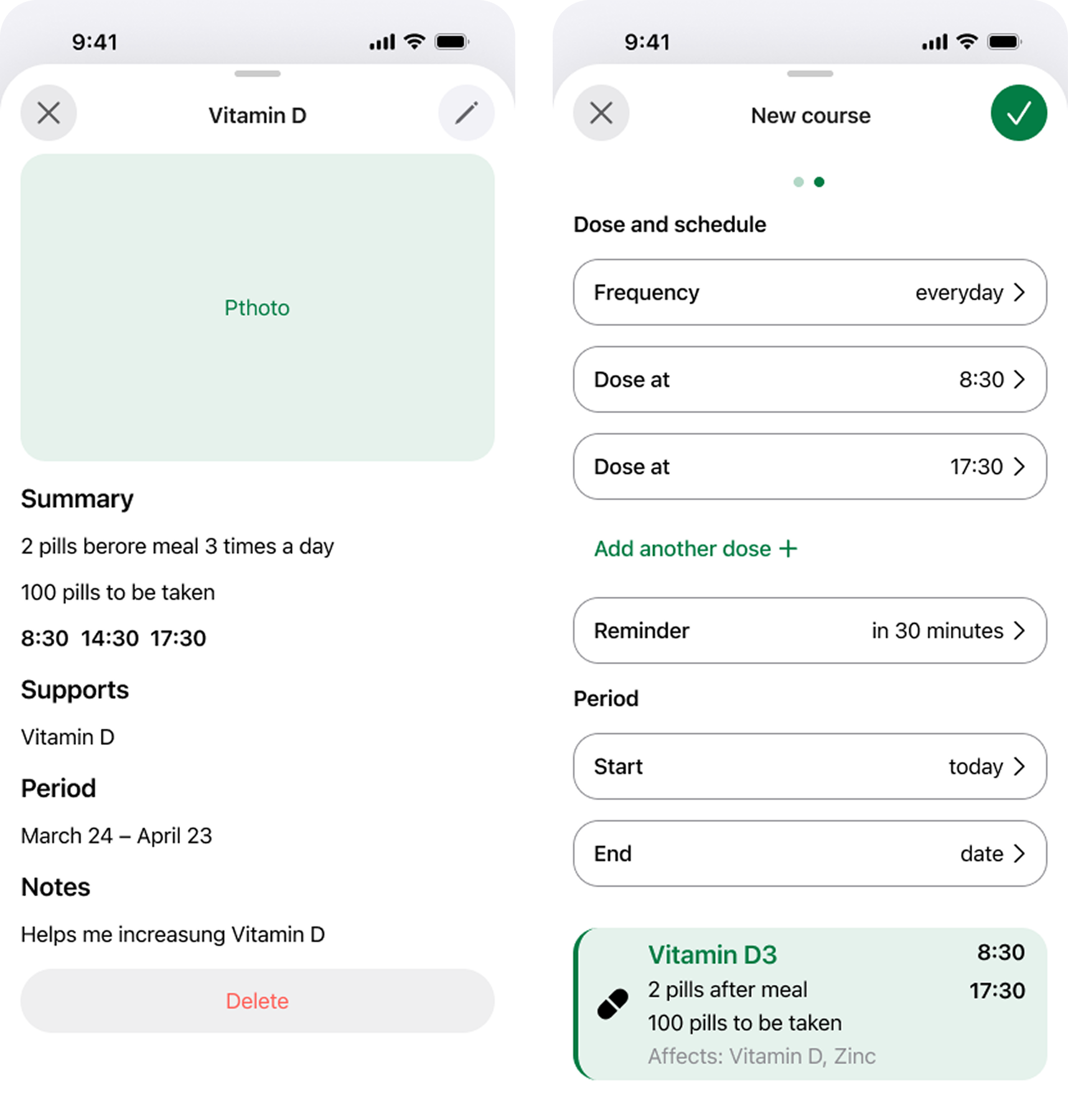
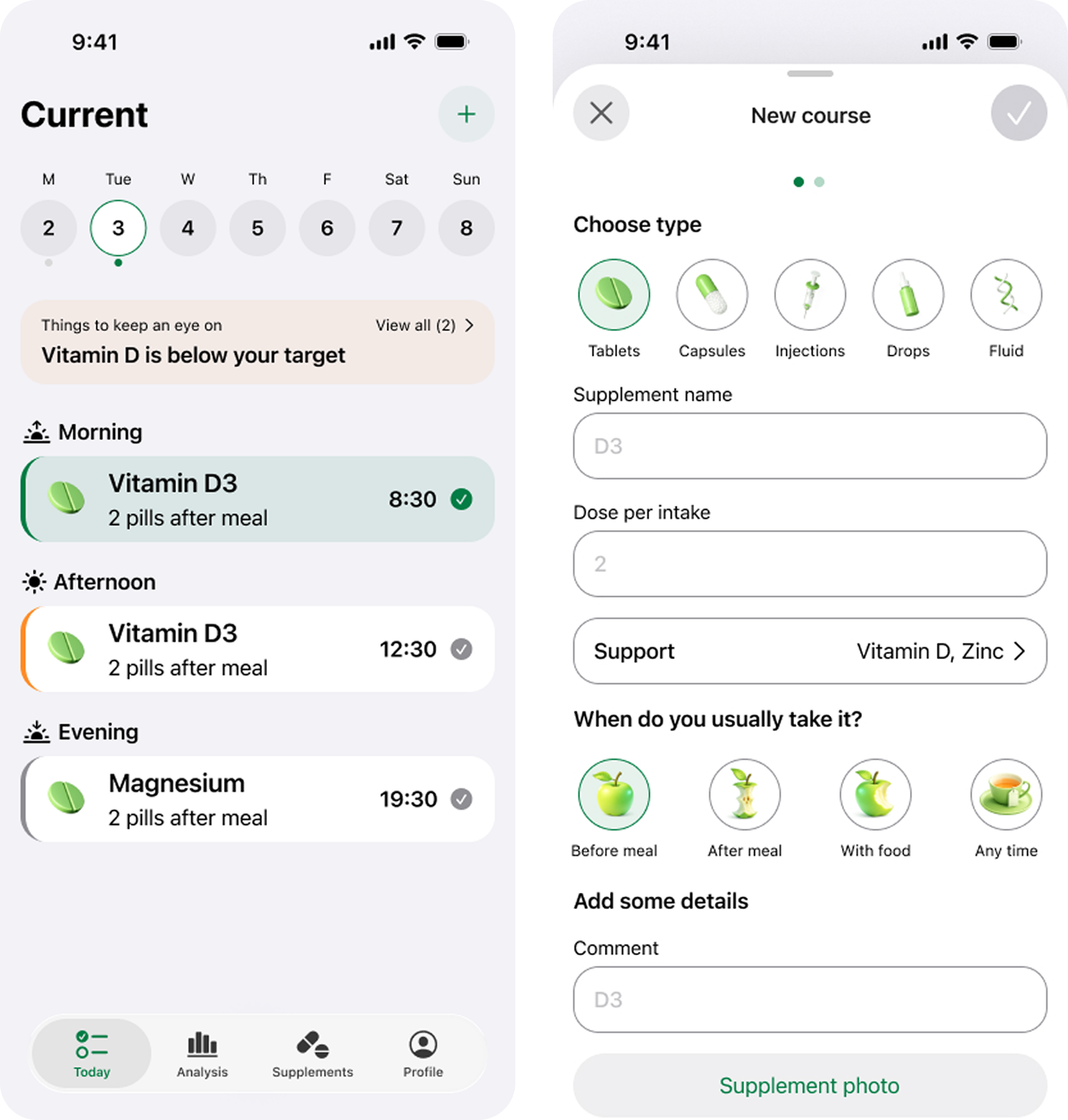
I started with core logic and data structure instead of locking the UI too early. The design system and SwiftUI architecture evolved together, with each connection between intake, courses, and lab markers checked against real product behavior.

I assembled the main components and tested core scenarios. Navigation was added later once the logic became stable.
The first build revealed logical issues. I refined scenarios, especially the relationships between lab results and supplement courses.
I created a custom icon set to keep the interface cohesive. Inputs were redesigned into capsule-style elements, saving space and improving visual consistency.
After several iterations, the logic became clear. The most challenging part was accurately visualizing the relationship between intake and biomarker changes.
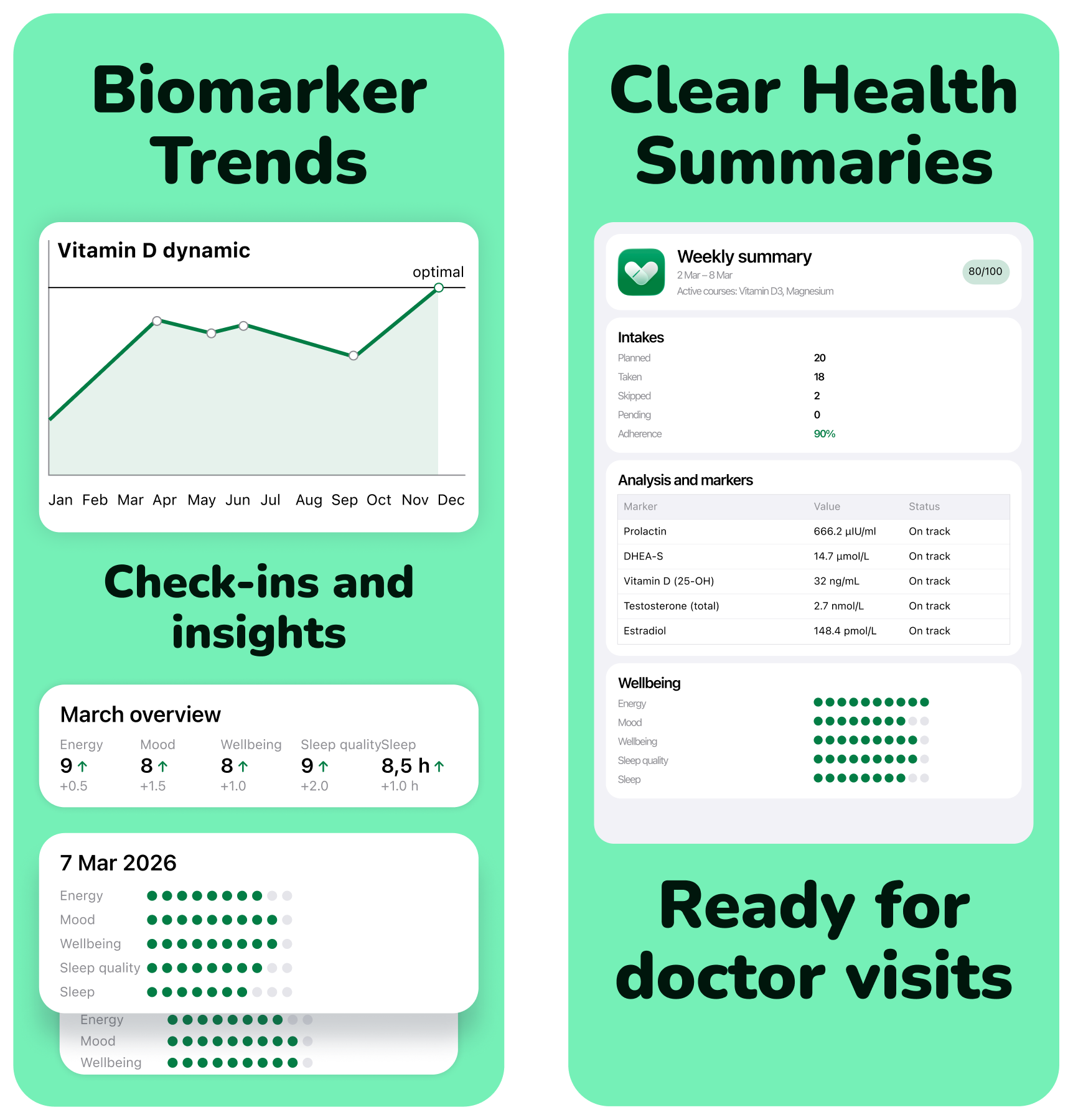
I analyzed competitors and their positioning. It was important to present the product as serious and reliable without overpromising. The focus was on real scenarios and a clear presentation of the problem and solution.

The design needed to feel serious. Fewer promises, more structure and clarity.
I chose a more vibrant and vivid style with clear wording.
I tested builds, localization, and overall stability. This time I ran more tests before release.
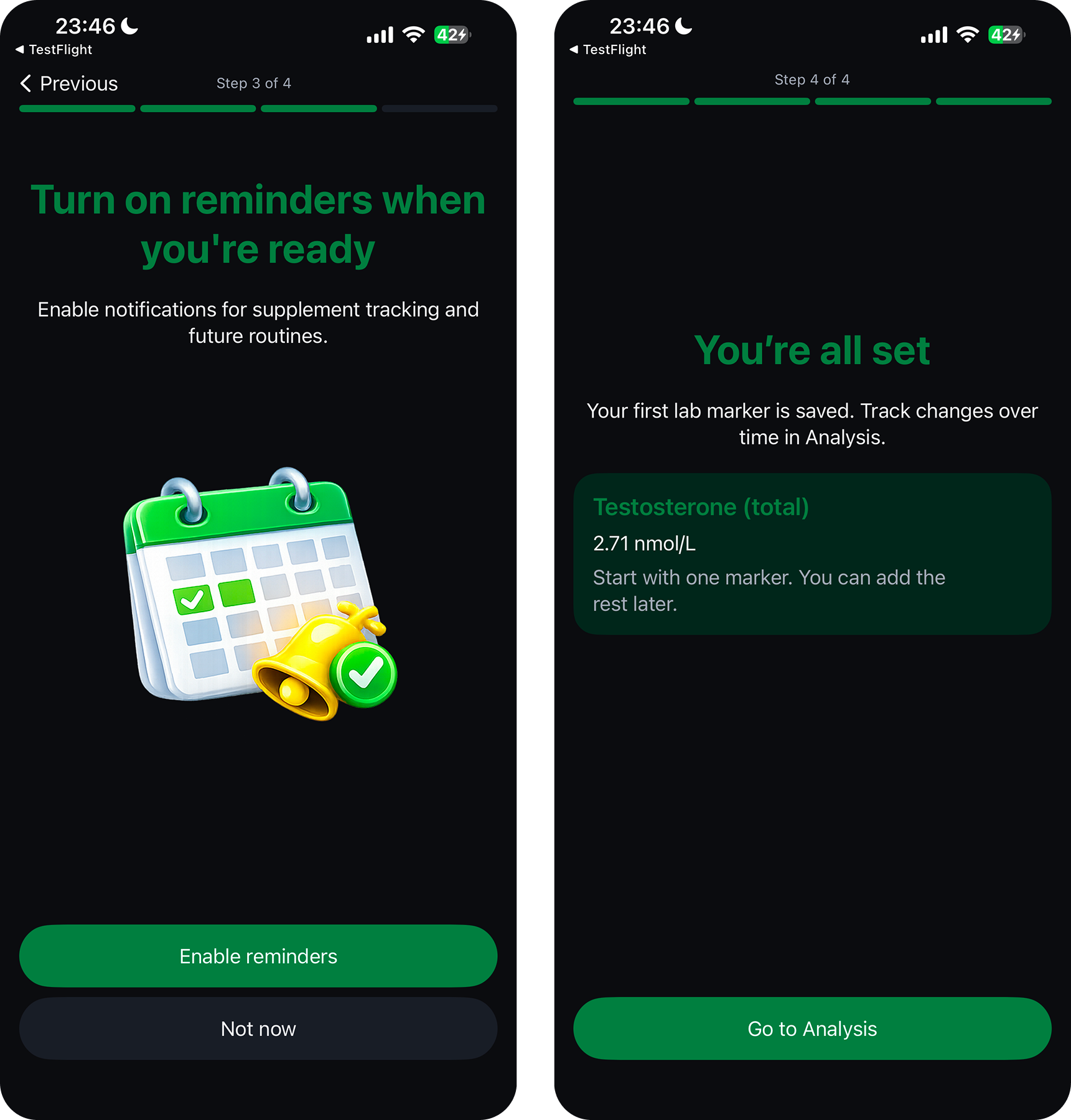
Since the app is more complex than a typical tracker, onboarding became the entry point to the system. Users answer questions, choose a scenario, and receive a personalized structure. It’s not just an interface introduction — it’s configuration.

I added a dedicated Codex skill with guidelines and best practices. This helped structure onboarding more thoughtfully.
After competitor research, onboarding became interactive. Branching scenarios were introduced based on user responses.
I added support for larger text, considered voice control, and allowed animations to be disabled according to system settings.
Conclusions
OpenPLC, Ignition Perspective and SQLite: order in events, KPIs and downtime causes.

OpenPLC and Ignition: ladder logic, a Structured Text state machine, sensor feedback, and verifiable normal cycles.

Enterprise monitoring for a nuclear plant: system states, engineering constraints, and 3D storage logic.